Management instructions for the business account administrator.
Welcome to the Menevä Business Portal!
The user administrator for your company´s account can edit, and remove users, as well as book rides for them or your guests, create user groups and travel restrictions, and download travel reports. The administrator can also add a company debit card as a payment method for the accound instead of invoicing. Log in to manage your Menevä Business Portal at:
Once you log in, you will find all the tools you need on the main page. From now on, you will see your account transactions as well as rides, passengers and other details in the overview on the main page.
To get started, please ad to your account:
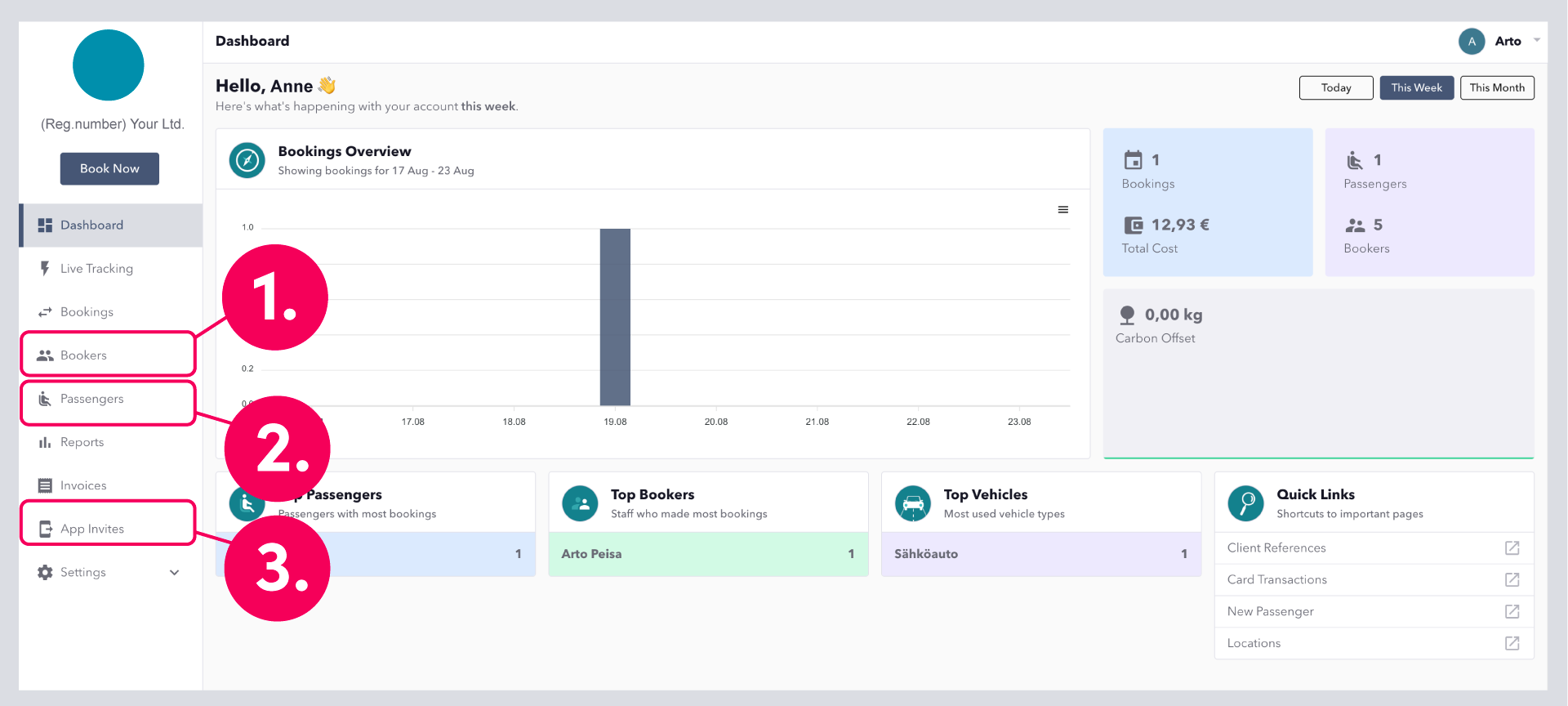
1. Bookers, who have the right to make bookings and add passengers
2. Passengers, i.e. employees who can use the company account to book and pay for rides
3. Manage App users, who can use the account as a payment method in the Menevä app
Booking a ride
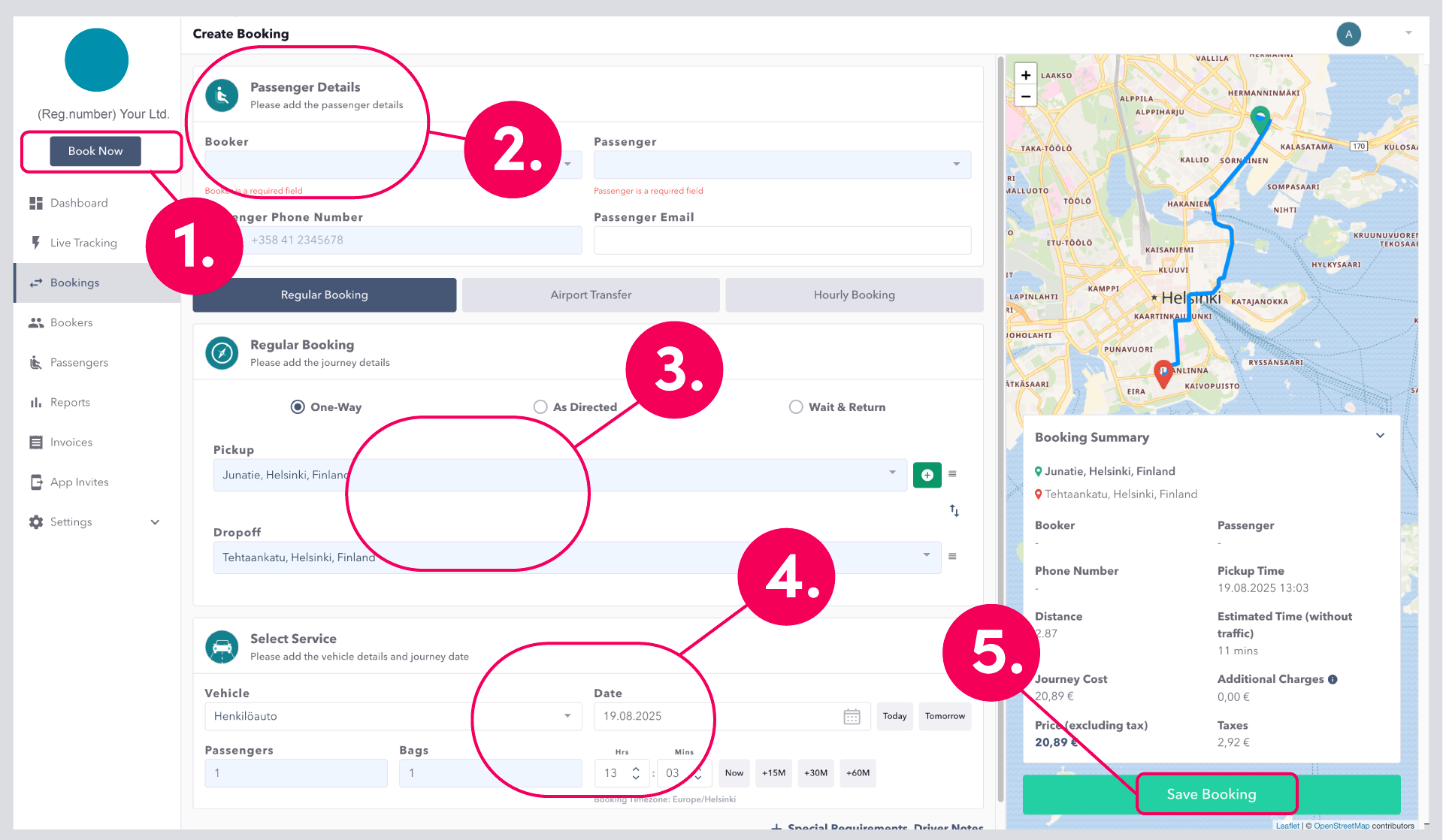
1. Click Book Now and you will get to the booking view
2. Click Booker, start writing name and the system suggests the details required (if specified), Add Passengers name, phone number and email address (Passenger will receive messages related to the ride).
3. Select the type of ride, add Pickup and Dropoff addresses
4. Choose a suitable Vehicle from the menu and add other additional information if necessary. You can also choose to pre-order for later
5. Booking Summary shows the booking details, route, price and time. Click Safe Booking and the trip is ordered
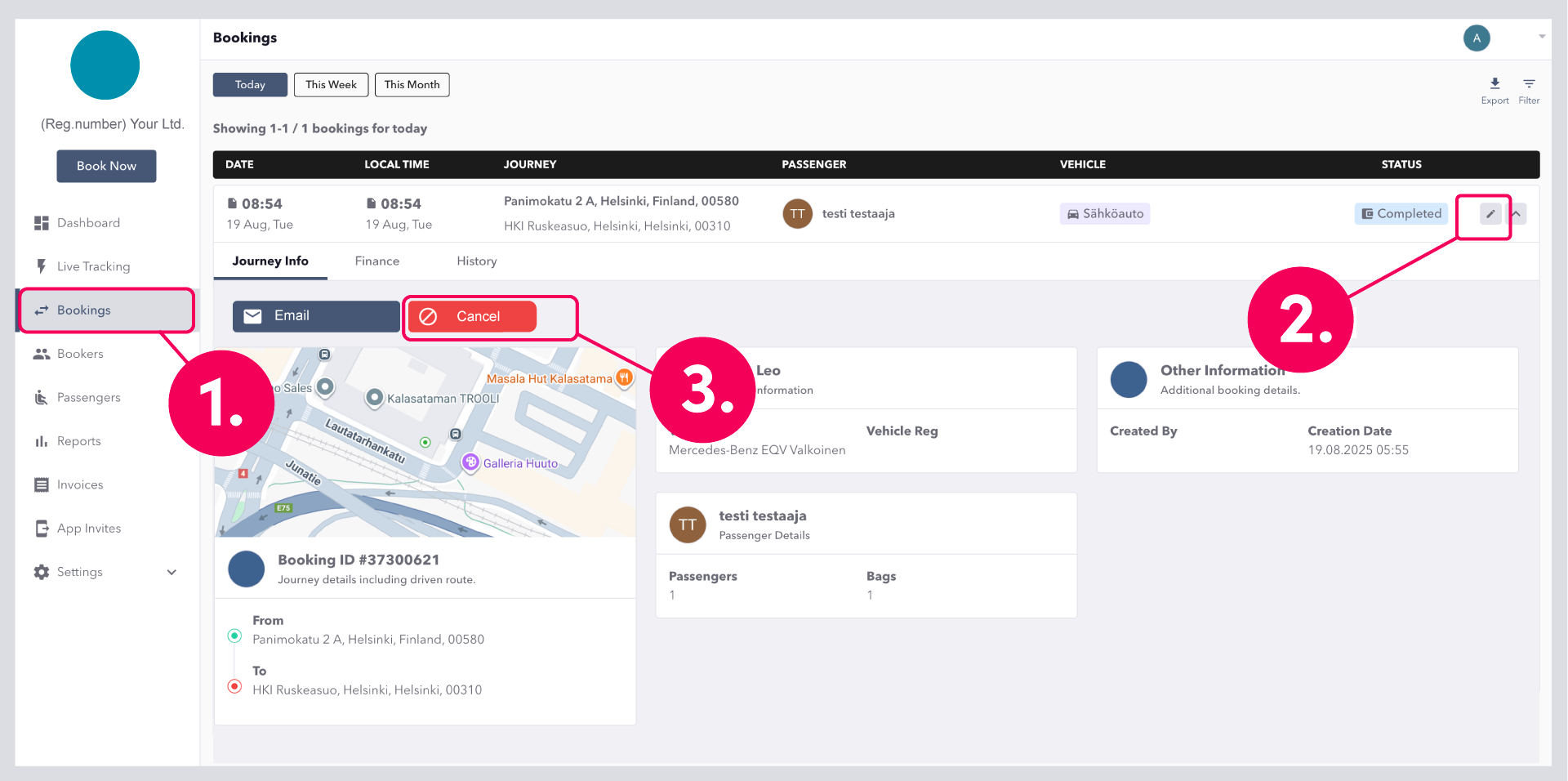
You can manage your bookings from the side menu. You will see a list of all your orders and you can edit active orders by clicking the pencil icon on the right side of the menu. After making changes to your order, click "update order" and your edits will be saved.
Editing or cancelling a booked ride
1. Click Bookings and you will see all bookings as a list
2. Click on the pencil icon on the right side of the booking to see the booking details and edit it
3. If you want to cancel the order, select Cancel
Changes to the booking information are saved by clicking Update at the bottom of the page, which will save the changes made to the booking