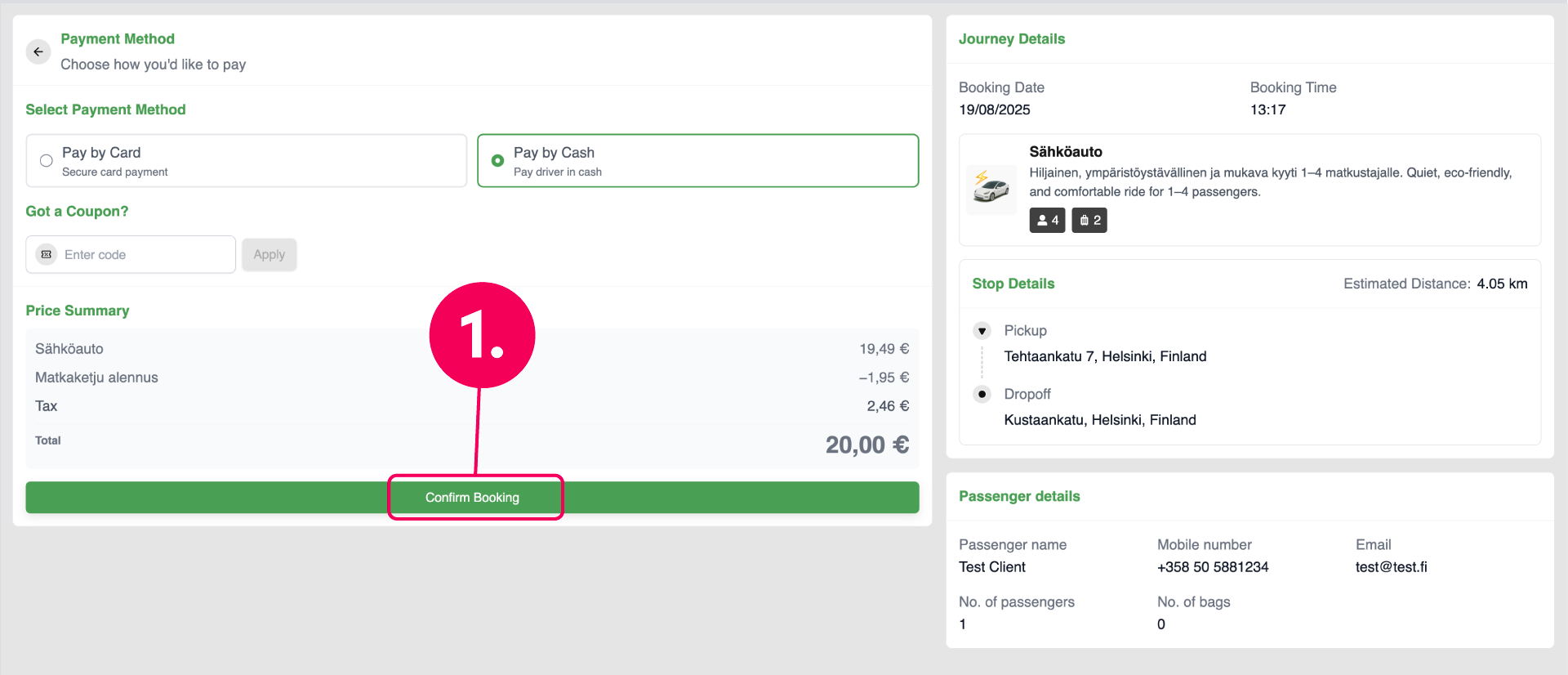
Instructions for using the Web Booker.
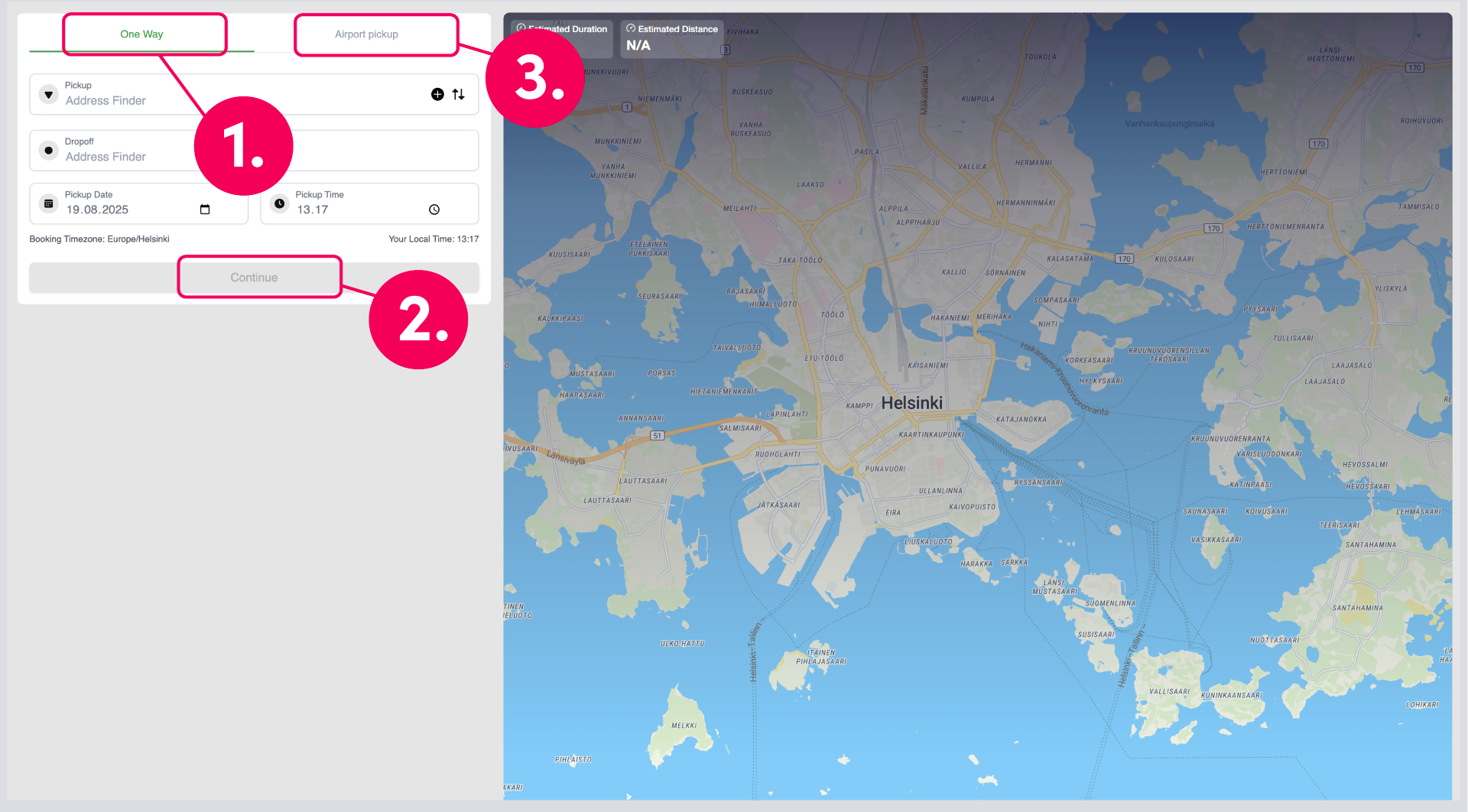
Start booking:
1. Select a One Way and fill in the address fields and schedule
2. You can make a booking for now or pre-booking for a desired date
3. Airport pickup is only selected for airport pickups that include Meet & Greet service
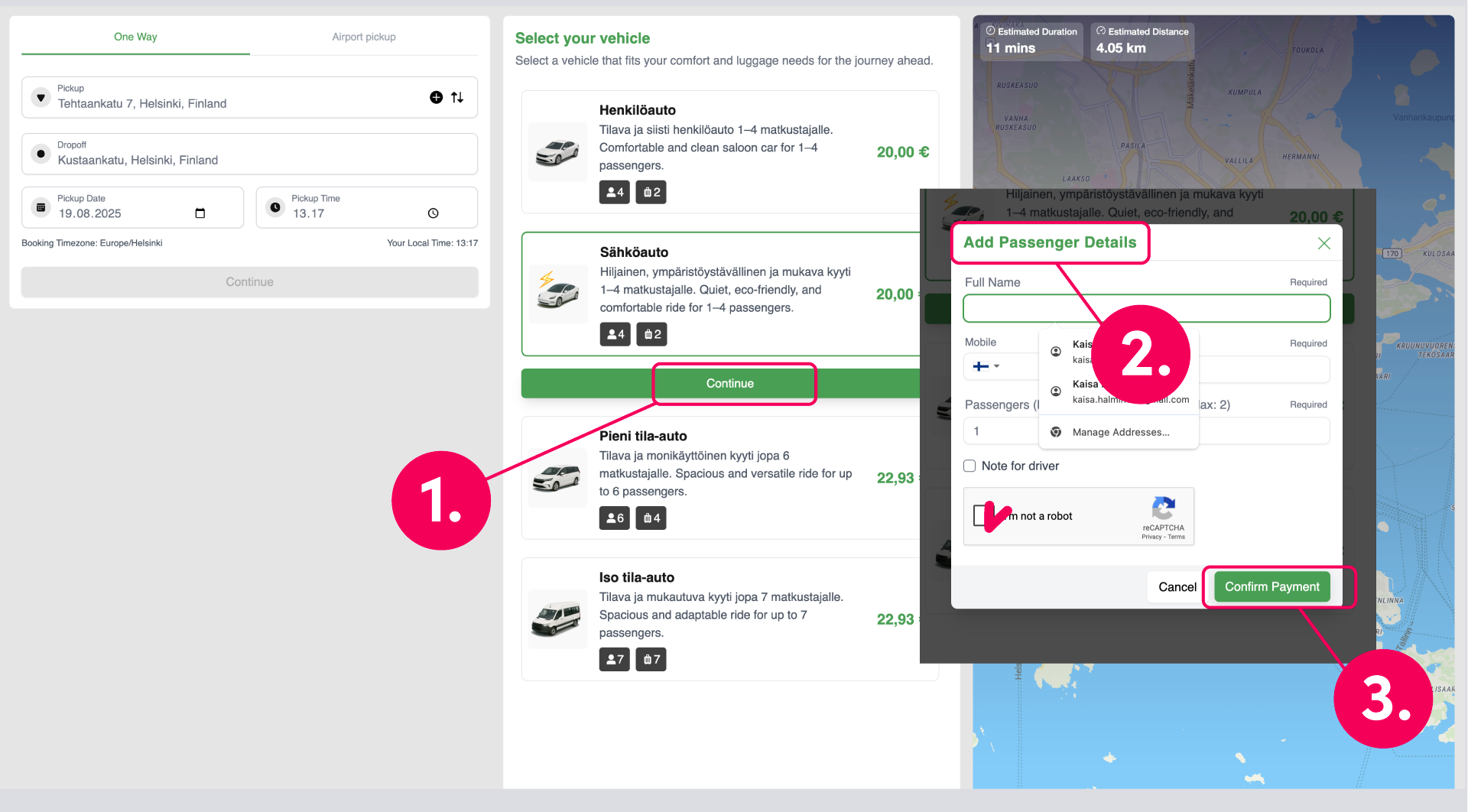
1. Select a vehicle from the menu that suits your needs
2. Add passenger details: Name can also be a room number. Email is required, but will become optional in the next update, you can enter e.g. xx@xx.fi. Passengers and Bags field can be left unfilled. Message to the driver field is also optional.
3. Click "I´m not a robot" field and Confirm Payment
1. Check your booking details and click Confirm Booking
Your booking is now complete and a booking confirmation text message has been sent to the phone number you entered. The message includes a link where you can track the taxis arrival on the map in real time.
If necessary, you can edit your order by calling 0500 639 124 or in the Customer Portal.